Deepfry
Over-saturate, compress, and distort images.
Command
/deepfry
What it does
The /deepfry command takes an uploaded image or a direct image URL and applies multiple layers of artificial compression, noise, and color distortion. Enjoy your deepfried creation!
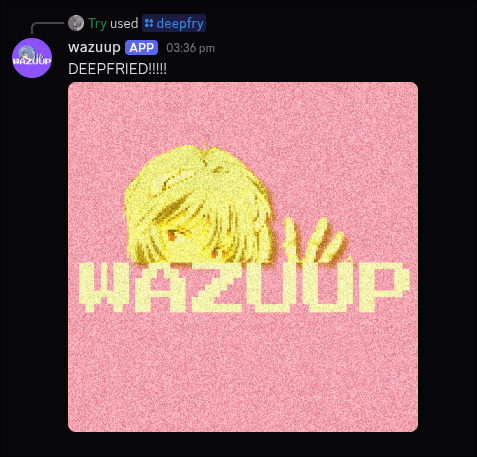
Example output of the /deepfry command, showing an image processed with intensity level 4.
More information
Here's how the /deepfry command works:
Behavior:
- You can either paste an image URL or upload a file (.png, .jpg, .jpeg, .webp).
- An optional intensity parameter lets you choose how extreme the effect is (1 = subtle, 5 = maximum fry).
- The image is then re-rendered and returned deepfried
Limits:
- Works only with static image formats (.png, .jpg, .jpeg, .webp).
- Images must be under 10MB.
- Intensity values are capped between 1 (lightly fried) and 5 (completely ruined).
Response:
- The bot replies with your deepfried image as an attachment.
- A short message "DEEPFRIED!!!!!" is sent alongside the result.
Error Handling:
- If no valid image is provided, you'll get: "Provide a valid image URL or attachment".
- If the image is invalid, corrupted, or too large, the bot replies: "Could not process the image. Make sure it's a valid image under 10MB."
If an error does occur, please report it so it can be fixed. Thank you (* ^ ω ^)